개요 (Outlines)
다양한 개요(Outlines) 예제는 공식 참조 문서에서 확인할 수 있습니다.
목차 (Table of contents)
#outline()

= 서론
#lorem(5)

= 이전 연구
#lorem(10)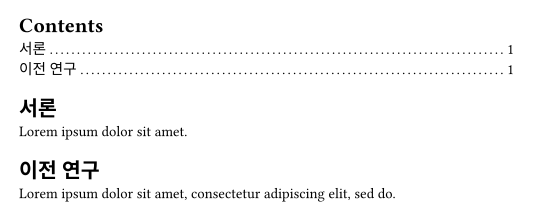
그림 목록 (Outline of figures)
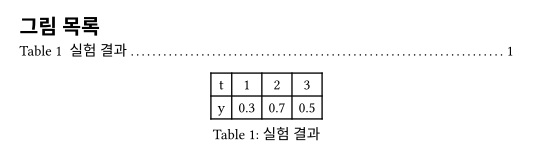
#outline(
  title: [그림 목록],
  target: figure.where(kind: table),
)

#figure(
  table(
    columns: 4,
    [t], [1], [2], [3],
    [y], [0.3], [0.7], [0.5],
  ),
  caption: [실험 결과],
)
임의의 선택자(selector)를 사용할 수 있으므로, 매우 다양한 시도가 가능합니다.
낮은 수준의 제목 무시하기
#set heading(numbering: "1.")
#outline(depth: 2)

= 포함됨
최상위 섹션입니다.

== 여전히 포함됨
서브섹션입니다.

=== 포함되지 않음
개요에 표시되지 않습니다.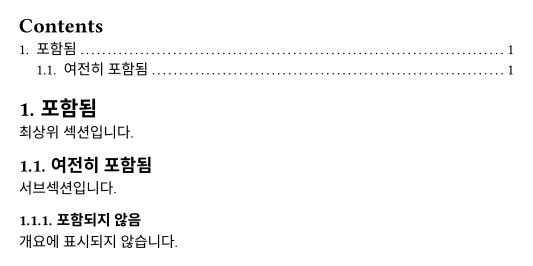
들여쓰기 설정하기
#set heading(numbering: "1.a.")

#outline(
  title: [콘텐츠 (자동)],
  indent: auto,
)

#outline(
  title: [콘텐츠 (길이 지정)],
  indent: 2em,
)

#set outline.entry(fill: "→")
#outline(
  title: [콘텐츠 (함수 사용)],
)

= ACME Corp.에 대하여
== 역사
=== 기원
#lorem(10)

== 제품
#lorem(10)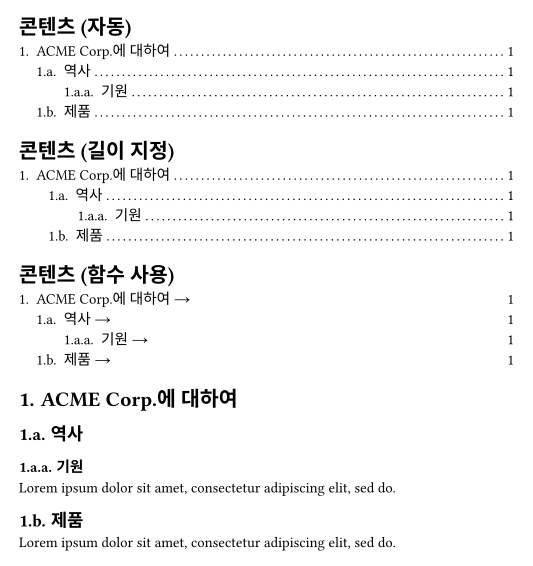
기본 점선 교체하기
#set outline.entry(fill: line(length: 100%))
#outline(indent: 2em)

= 1단계
== 2단계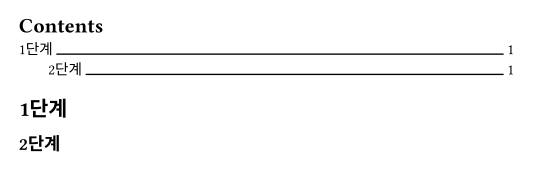
개요 수준별 스타일 다르게 지정하기
#set heading(numbering: "1.")

#show outline.entry.where(
  level: 1
): it => {
  v(12pt, weak: true)
  strong(it)
}

#outline(indent: auto)

= 서론
= 배경
== 역사
== 최신 기술 (State of the Art)
= 분석
== 설정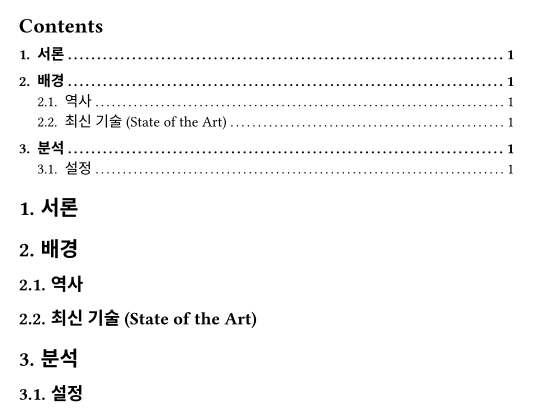
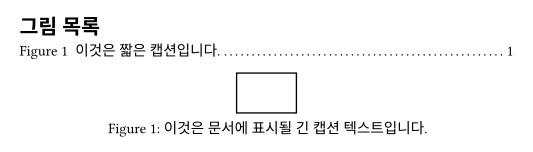
개요용 짧은 캡션과 문서용 긴 캡션 사용하기
// 저자: laurmaedje
// 템플릿의 어딘가 또는 문서 시작 부분에 배치하세요.
#let in-outline = state("in-outline", false)
#show outline: it => {
  in-outline.update(true)
  it
  in-outline.update(false)
}

#let flex-caption(long, short) = context if in-outline.get() { short } else { long }

// 문서 내에서의 사용 예시입니다.
#outline(title: [그림 목록], target: figure)

#figure(
  rect(),
  caption: flex-caption(
    [이것은 문서에 표시될 긴 캡션 텍스트입니다.],
    [이것은 짧은 캡션입니다.],
  )
)
인용 및 각주 무시하기
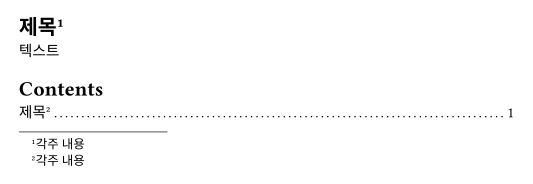
각주가 제목에 포함되어 있을 때 개요에 각주 번호가 표시되는 문제를 해결하는 우회 방법입니다:
= 제목 #footnote[각주 내용]

텍스트

#outline() // 좋지 않은 결과 :(

#pagebreak()
#{
  set footnote.entry(
    separator: none
  )
  show footnote.entry: hide
  show ref: none
  show footnote: none

  outline()
}